
Qualification
Qualification is the ranking round. Every archer shoots the same course, the scores are entered end by end, and what comes out is the standing that seeds everything after it. If a competition stops here, the standing is the result; if it goes on to eliminations, the standing is the draw.
Where scores are entered
Section titled “Where scores are entered”The Scoring tab. Pick the shift, pick the round, then pick the archer.
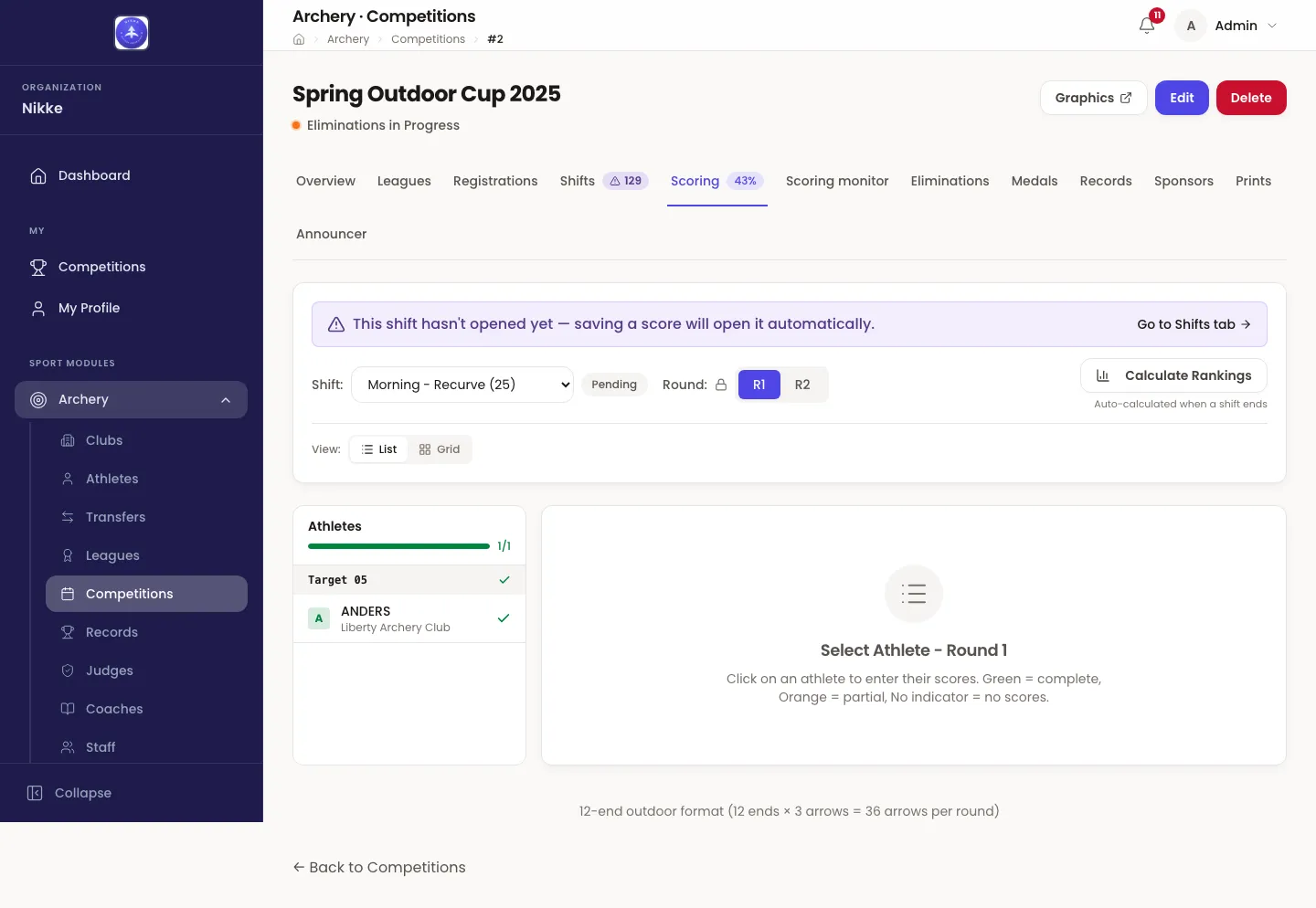
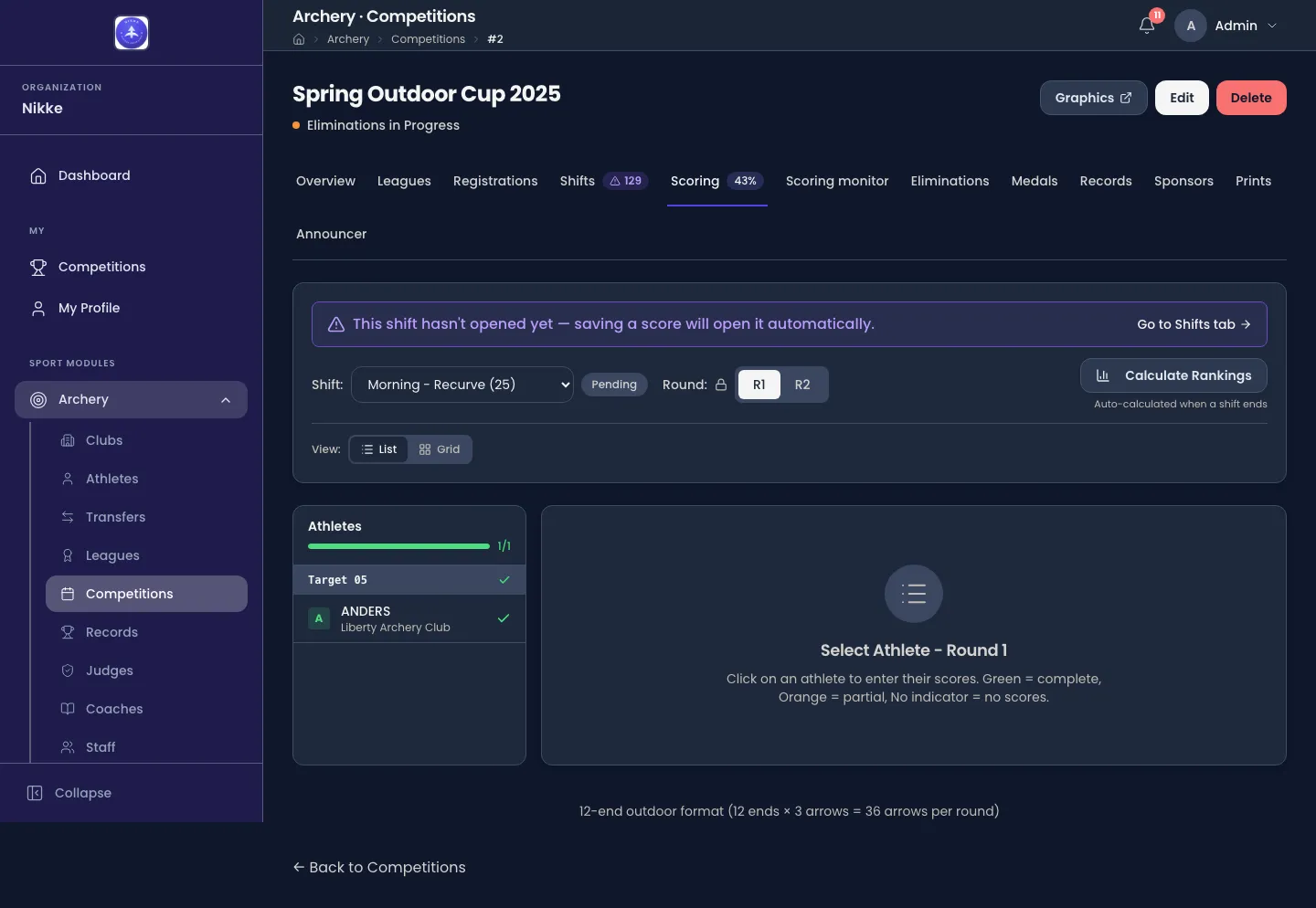
- Shift is the group currently on the line. The badge beside it is that shift’s own state.
- Round switches between the two halves of a qualification round, R1 and R2.
- The Athletes panel is the target board: archers grouped by the target they are on, in the order they stand. Green means their card is complete, orange means partly entered, and no marker means nothing yet — so the panel doubles as the progress board for the shift.
- The footnote spells out the format the competition was created with: 12 ends of 3 arrows outdoors, 10 ends of 3 arrows indoors.
An archer with no target does not appear here, because scores are entered against a target position. If the panel is emptier than the field, go back to shifts and targets.
You do not have to start the shift first. Saving the first score opens it for you, and the banner says so.
Watching the field record
Section titled “Watching the field record”The Scoring monitor tab, between Scoring and Eliminations, is the organizer’s live view of a shift’s field: every target position with, for each end of each round, whether its arrows are all recorded, partly recorded or not yet started. It watches the act of recording, not the scores — it never shows an arrow value — and it exists so someone can be sent to a target before the gap grows.
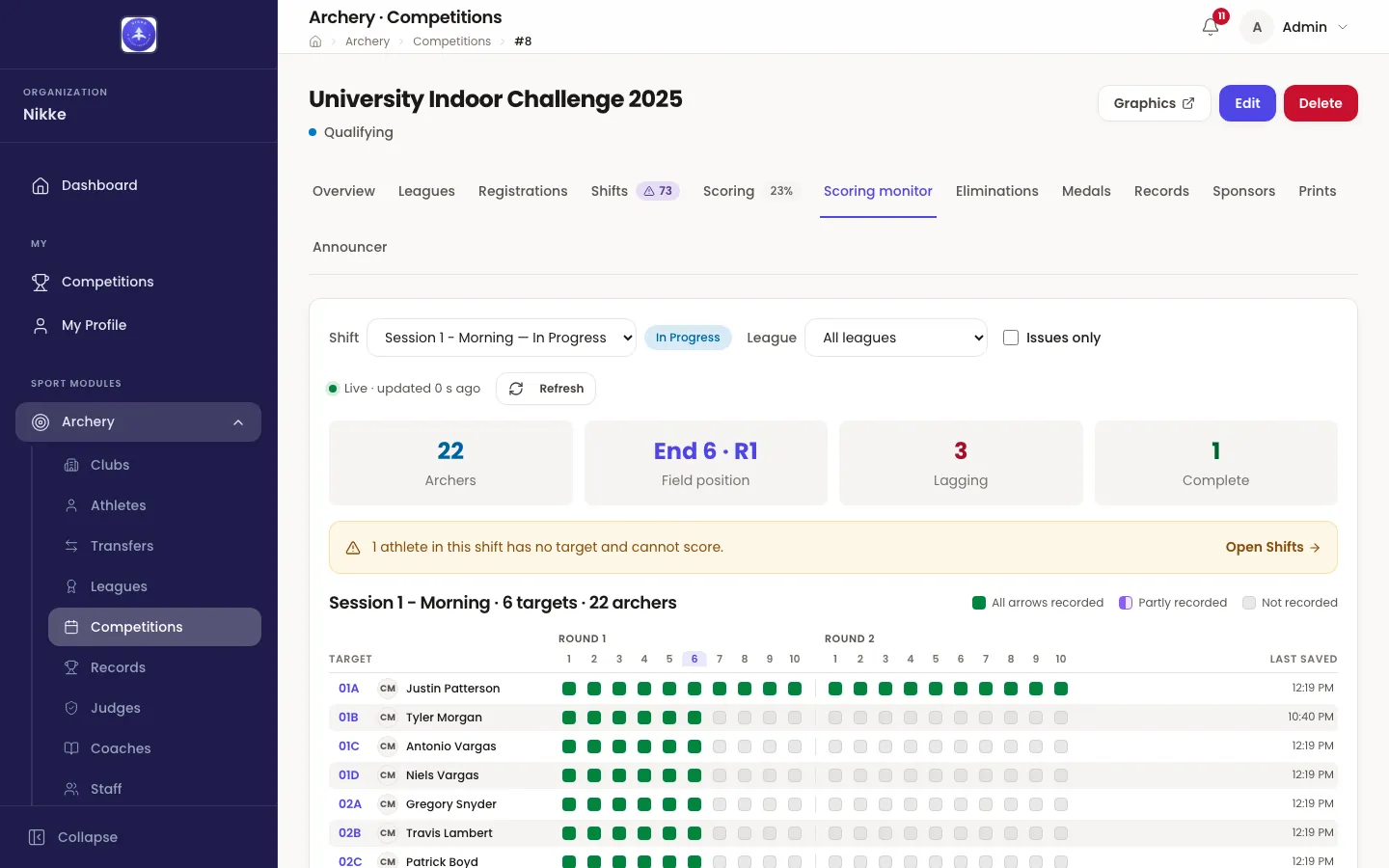
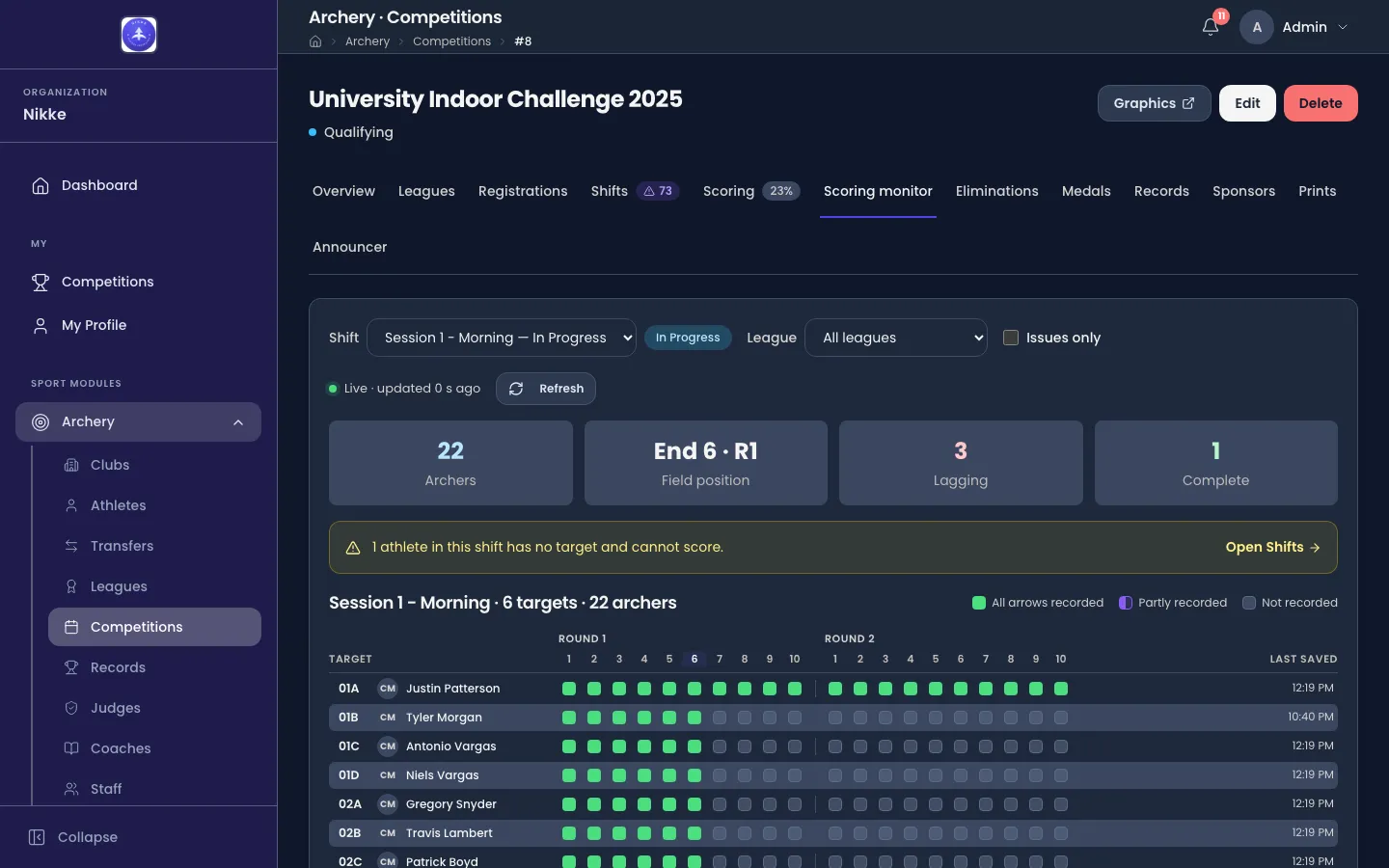
- Shift picks the shift to watch; the monitor follows one at a time. League narrows the rows to one league, or All leagues shows the whole line.
- The four counts across the top are Archers on the shift, the Field position — the end the middle of the field has just completed — how many positions are Lagging, and how many are Complete.
- The grid has a row per target position and a cell per end of each round: All arrows recorded, Partly recorded or Not recorded, with the Last saved time beside the name.
- A position two or more ends behind the field is flagged as lagging, with how many ends it is behind. One end behind is ordinary transit between the line and the phone; two is the signal to go and look. Issues only hides everything that is on pace.
- The view refreshes itself and says how long ago; Refresh does it now. An athlete on the shift without a target is called out above the grid, since they cannot score at all.
Scoring from a phone at the target
Section titled “Scoring from a phone at the target”Scores do not have to come off a laptop at the far end of the field. Every target board you print carries its own QR code, and whoever is standing at that target — an archer keeping the card for their own group, a scorer walking the line — can scan it with the Velos app and enter that target’s arrows from their phone. There is nothing to switch on: printed boards carry the code, and the app reads it. Results and prints covers printing the boards.
What the scan does, and what it does not:
- It opens one target, not the competition. The code names the competition, the shift and the target number it was printed for, and the phone can score that target and nothing else.
- It is good for twelve hours. Long enough for a shift and the paperwork after it. If six hours past the competition’s end date falls inside that window, it stops there instead. Scanning the board again extends it, so a long day is a re-scan rather than a call to an administrator.
- A completed competition refuses the scan. Once the competition has been marked complete, its boards stop working — nothing can be typed in after the fact.
- The rules are the ones the web already follows. A phone writes through the same checks: the first score against a shift that has not started opens that shift, and a shift that has ended is locked until it is reopened. Nobody gains authority by holding a phone.
Everything typed in on the line lands where web entry lands, as it is entered: the Scoring tab is the same board either way, and the standings are worked out from the same arrows.
One archer’s card
Section titled “One archer’s card”Click an archer to open their card.
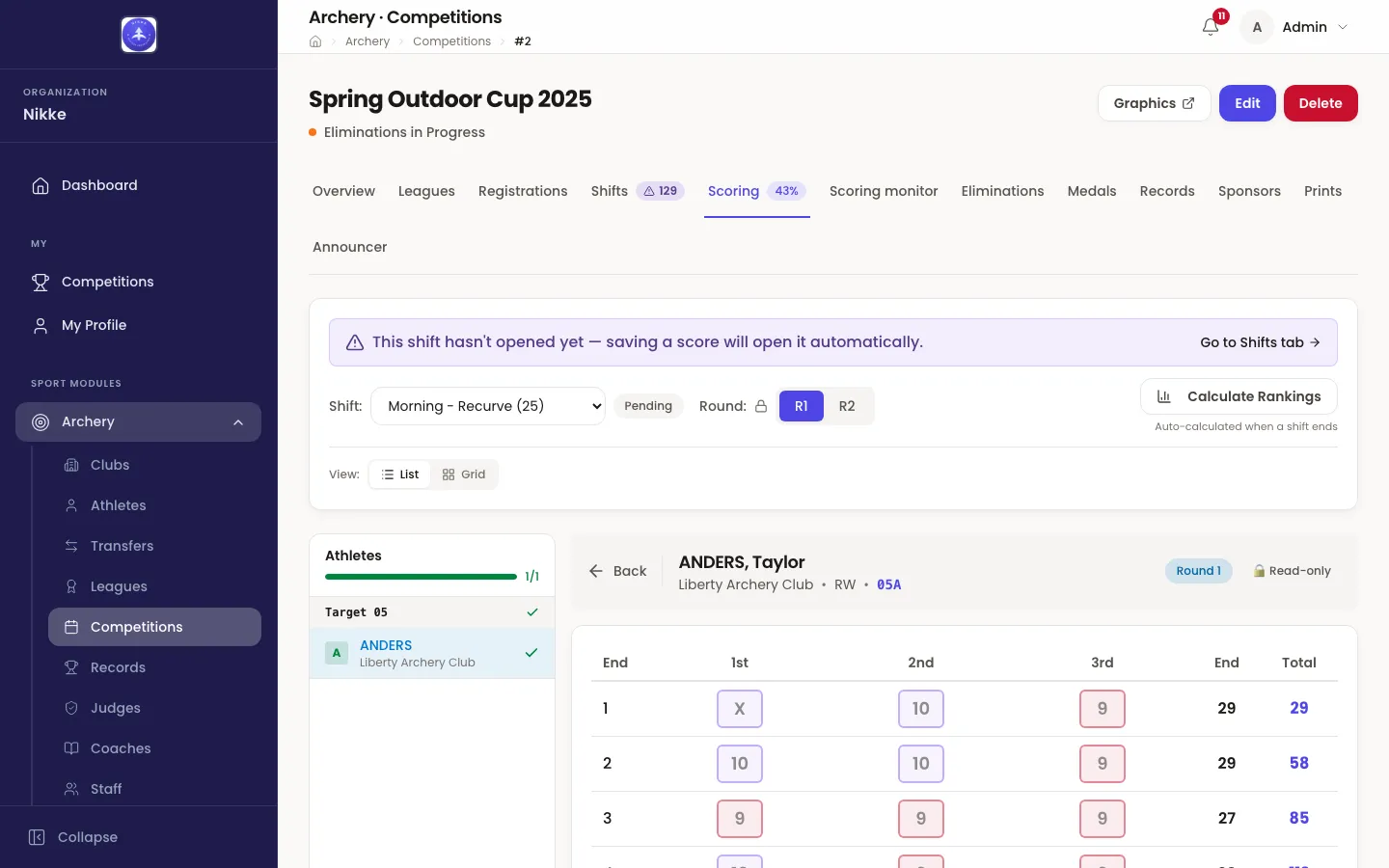
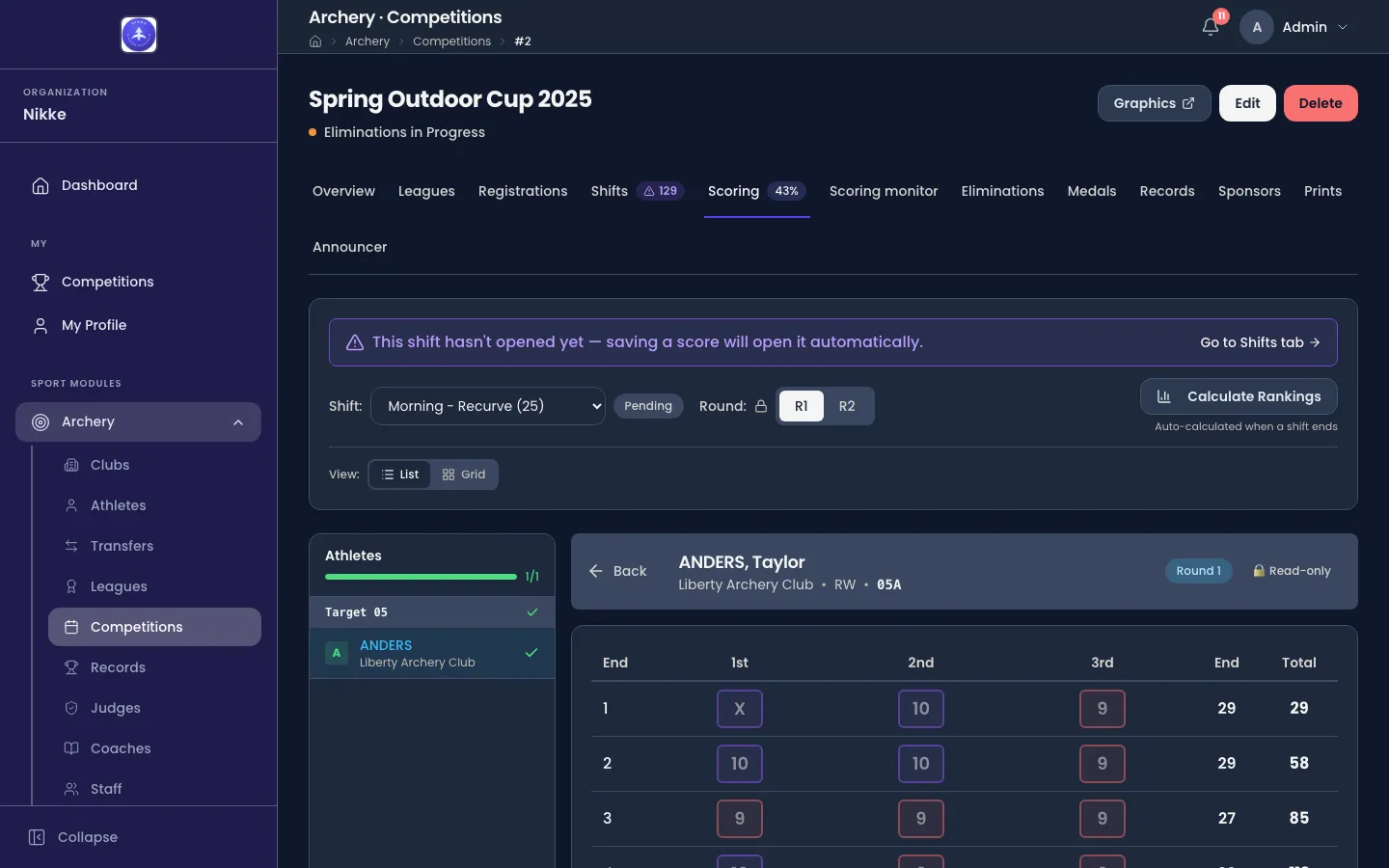
- A row per end, three arrows in each. Type the value, or X for an inner ten and M for a miss. Each arrow is recorded in its own right — that is what makes the count-back below possible.
- End is that end’s total; Total is the running score.
- Auto-advance to next athlete after saving does what it says, which is how you work through a target board without touching the list.
- Clear Round wipes the round you are on, for when a card has been entered against the wrong archer.
Scoring a shift that has been completed is locked. Reopen the shift to correct it.
Ending a shift
Section titled “Ending a shift”When a shift has finished shooting, end it from the Shifts tab. Two things happen: the shooting line closes for those archers, and the standings recalculate. Ending one is reversible, and the mechanics of it — the fully-scored check, reopening, what a shift’s state means — belong to shifts and targets.
How the standings are ordered
Section titled “How the standings are ordered”Rankings are worked out per league: archers are only ever ranked against the others in their own league, never across the whole field. The order follows World Archery §12.5.1.
Total score decides it. Two archers on different totals are never separated by anything else.
Level on the total, Velos counts arrows — and what it counts depends on the distance the competition is shot at:
- Outdoors, the first count is the number of Xs, the inner ten. Still level, and it compares the number of 10s, with each X counted as one of them. Still level after that, and it compares the number of 9s.
- Indoors, the X count is skipped on purpose. World Archery does not use it at short distance, so Velos goes straight to the number of 10s — again counting the Xs among them — and then the number of 9s.
Archers level on every one of those counts are equal in the rules’ own terms, and World Archery settles the chart position by a toss. Velos instead holds them in a fixed order, so a standing read twice never comes back reshuffled and a seed does not move under a bracket. That order is a convenience, not a verdict: if the tie decides who enters the bracket, it has to be shot for. See ties at the cut.
The standings keep themselves. While a shift is being scored they follow the scores on their own, a few seconds behind the last end saved, and they are recalculated again at the two moments that settle them: when a shift ends, and when a league’s qualification is finalized. Calculate Rankings on the Scoring tab does it on demand, so under normal running you never press it. A federation that has switched the live refresh off still gets the shift-end and finalize recalculations exactly as before; only the freshness in between goes.
To read a league’s standings, open the Leagues tab and click the league’s row. Its panel carries that league’s entries, and gains a Standings view once its qualification is under way and there are scores to rank.
Ties at the cut
Section titled “Ties at the cut”A tie inside the standings is harmless. A tie across the elimination cut is not: when the last places in a bracket are shared by archers on the same total — some in, some out — World Archery §12.5.2 forbids the count-back from separating them. Those archers have to shoot for it.
Velos finds this at the moment the bracket is drawn. The draw is refused and the tied archers are listed instead: who they are, the score they share, and how many of them go through.
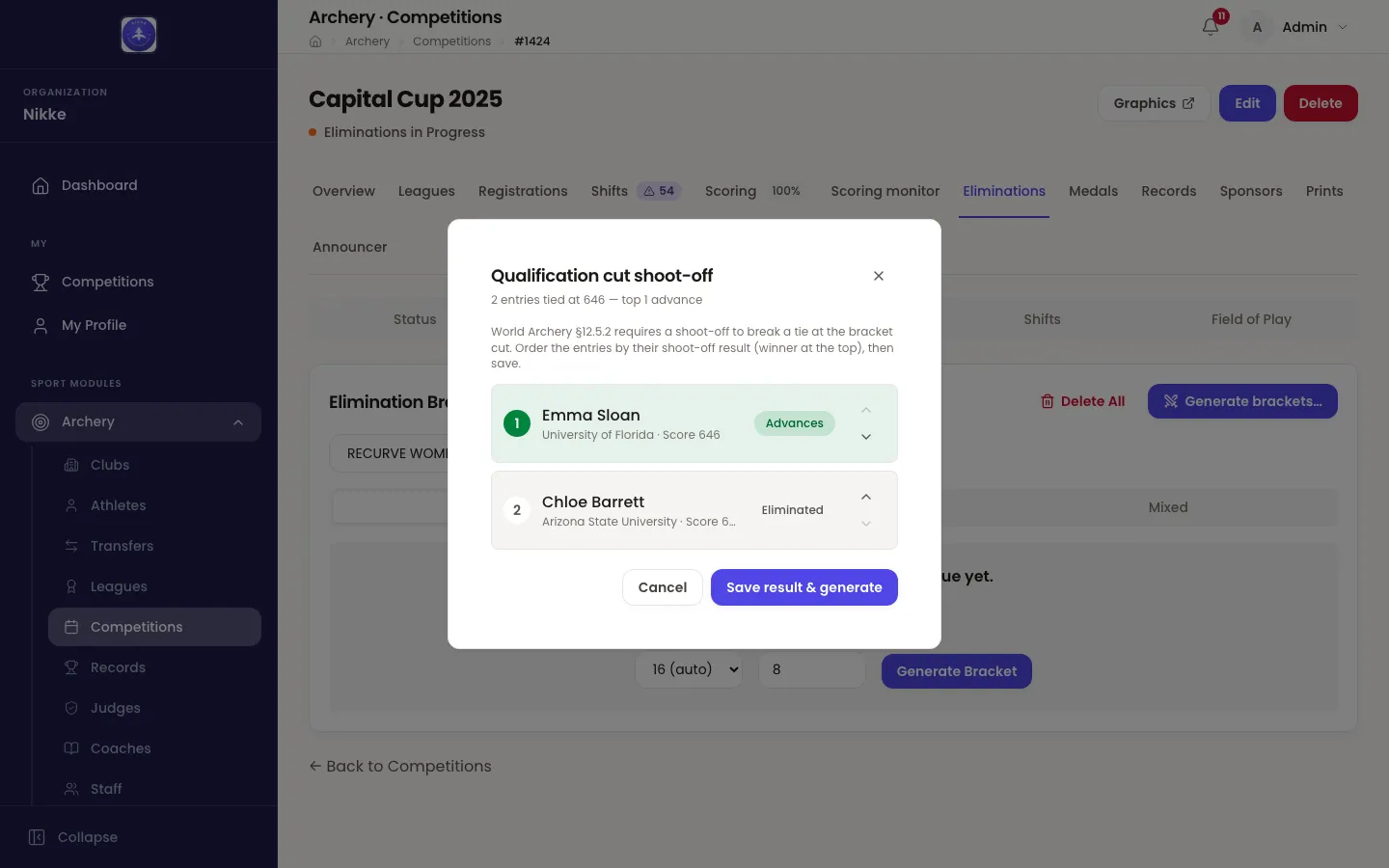
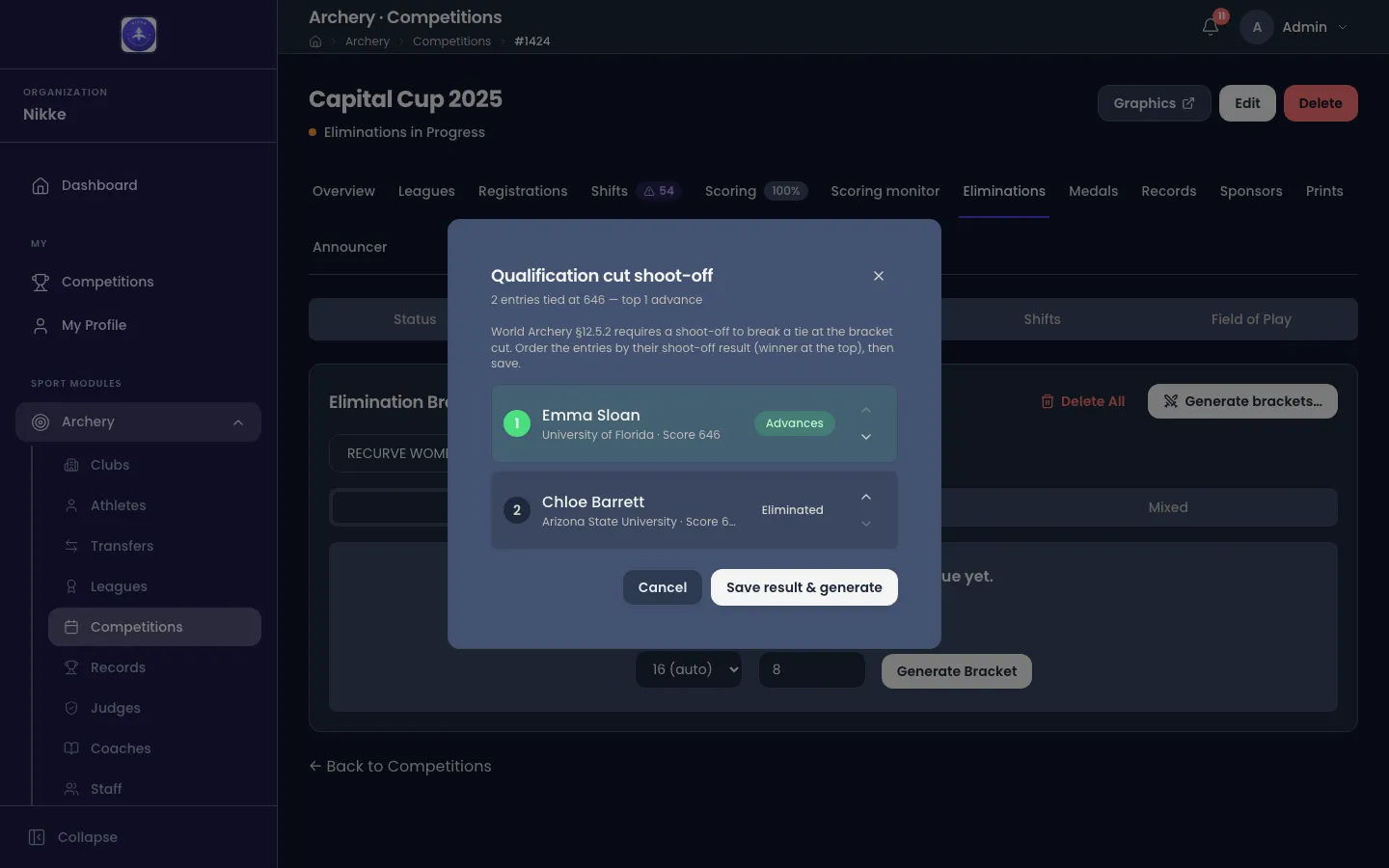
A judge runs the shoot-off on the field. You put the archers in the order it finished, winner at the top, and save — and the draw carries on with that order standing in for the count-back, for those archers only. Everyone else keeps the place their count-back gave them.
Nothing is created while the shoot-off is outstanding: a refused draw leaves no half-built bracket behind, and asking again simply raises the same list. The bracket itself is the Eliminations tab’s work.
Ties that do not straddle the cut need none of this. If everyone sharing a score is inside the bracket, or everyone is outside it, the count-back order stands as it is and the standings print one archer above the other with nothing hanging on which.
Closing qualification
Section titled “Closing qualification”A league’s scoring stays open until you close it, and closing it is a deliberate act, done per league on the Leagues tab:
- Finalize qualification on a league’s row locks that league’s scoring and unlocks its elimination bracket. Velos warns you if any of its archers are not fully scored and lets you go ahead anyway.
- Finalize all qualification does every eligible league at once. Fully-scored leagues are locked; leagues with unscored archers are skipped and reported, so nothing is closed behind your back.
- Reopen puts a league back to qualifying. It is available right up until that league’s bracket is generated, and refused after — by then the results have been drawn on.
- Mark complete closes a league straight from its standings, without eliminations. Use it for a ranking-round-only competition. No bracket can be set up afterwards, though you can reopen it if you change your mind.
Each league moves on its own clock, so Recurve Men can be finalized and drawing its bracket while Compound Women is still shooting — and finalizing one says nothing about the others. Leagues covers that per-league lifecycle in full, including what the competition’s own state does once its leagues disagree.
With a league’s standings locked, its bracket can be drawn. Eliminations covers the head-to-head rounds.
Updated for v1.63.0