
Training
A training session is one athlete, one setup, one visit to the shooting line. It fixes what was being shot — the bow, the distance, the target face, how many arrows to an end, indoors or out, and where — and then collects the ends as they are shot. What comes out is a score, a set of averages, and a row in that athlete’s history that can be read next to every other session they have shot.
Training is not scored against anybody. There is no field, no ranking and no result to publish: a session is a record of practice, which is exactly what makes a run of them worth reading.
Who records a session
Section titled “Who records a session”Two hands, one record.
Staff record on the web. A coach or an administrator sets a session up in Velos, scores it end by end as it happens, or enters it afterwards from a paper scorecard. That is what the rest of this section covers.
Athletes record on the phone. Where the athlete surface is switched on, an archer sets up and scores their own session in the Velos mobile app, touching the spot on the target face where each arrow landed. Those sessions arrive in the same list as everything else, and carry something a web-entered session cannot: the impact of every arrow. That is what makes the arrow plot possible.
Where your federation, club or academy runs a review step, sessions an athlete submitted from the app are held for approval — first by their club coach, and where a second stage is configured, by a federation reviewer afterwards. Sessions created by staff are never held.
The training list
Section titled “The training list”Archery → Training is every session recorded, newest first.
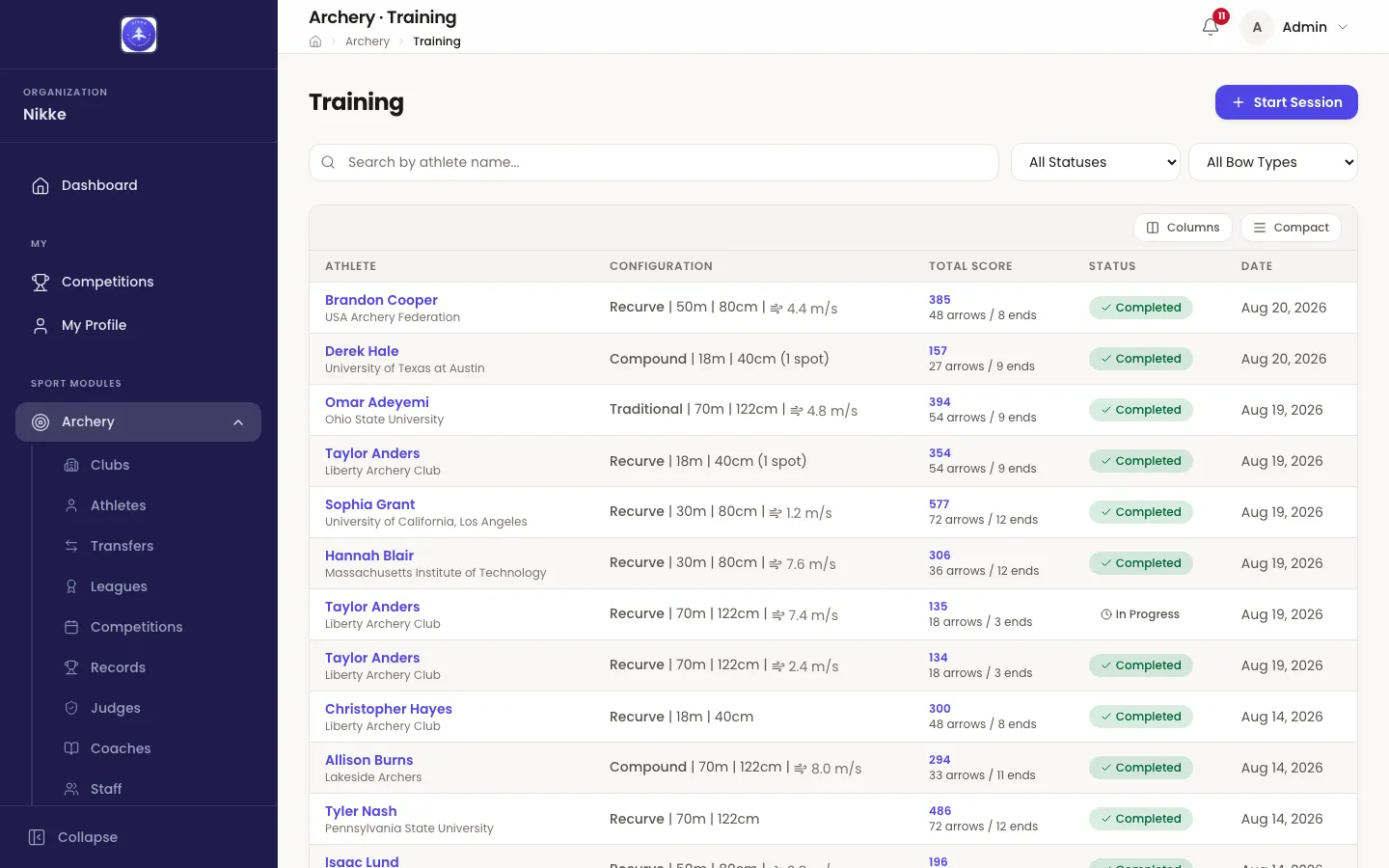
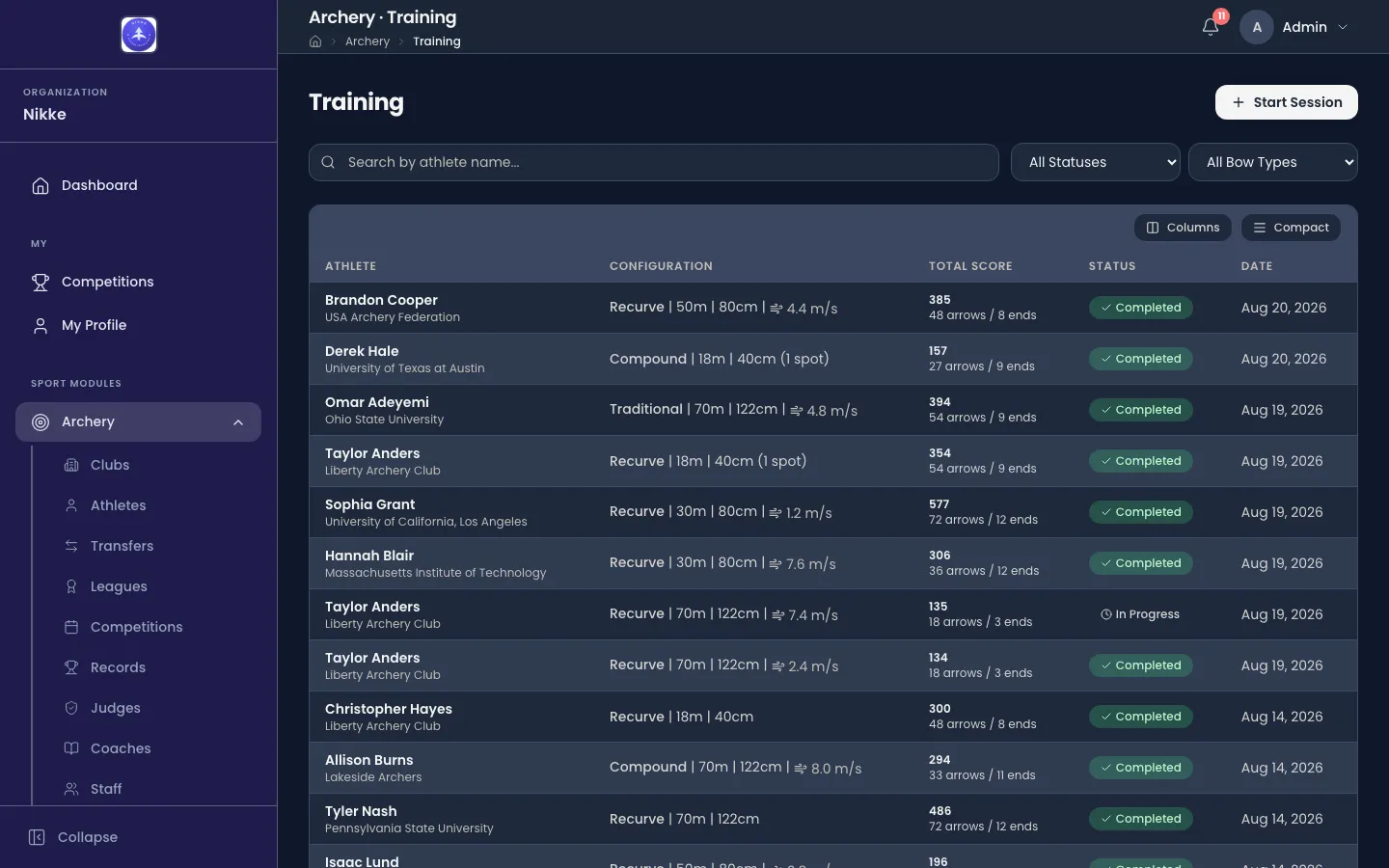
- Search by athlete name… narrows to one archer.
- All Statuses picks between In Progress, Completed and Abandoned.
- All Bow Types picks between Recurve, Compound, Barebow, Longbow and Traditional.
- Configuration is the session’s setup in one line — bow, distance, target face. Where conditions were captured for an outdoor session, the wind reading appears here too.
- Total Score carries the arrow and end counts underneath it, which is what tells a short session from an abandoned one.
Opening a row goes where the session is. A completed session opens its detail page; a session still in progress opens straight into the live screen so scoring can carry on.
Start Session creates one, covered in Recording a session.
One athlete’s training
Section titled “One athlete’s training”The same sessions gather on the athlete. Open an athlete under Archery → Athletes and pick the Training tab.
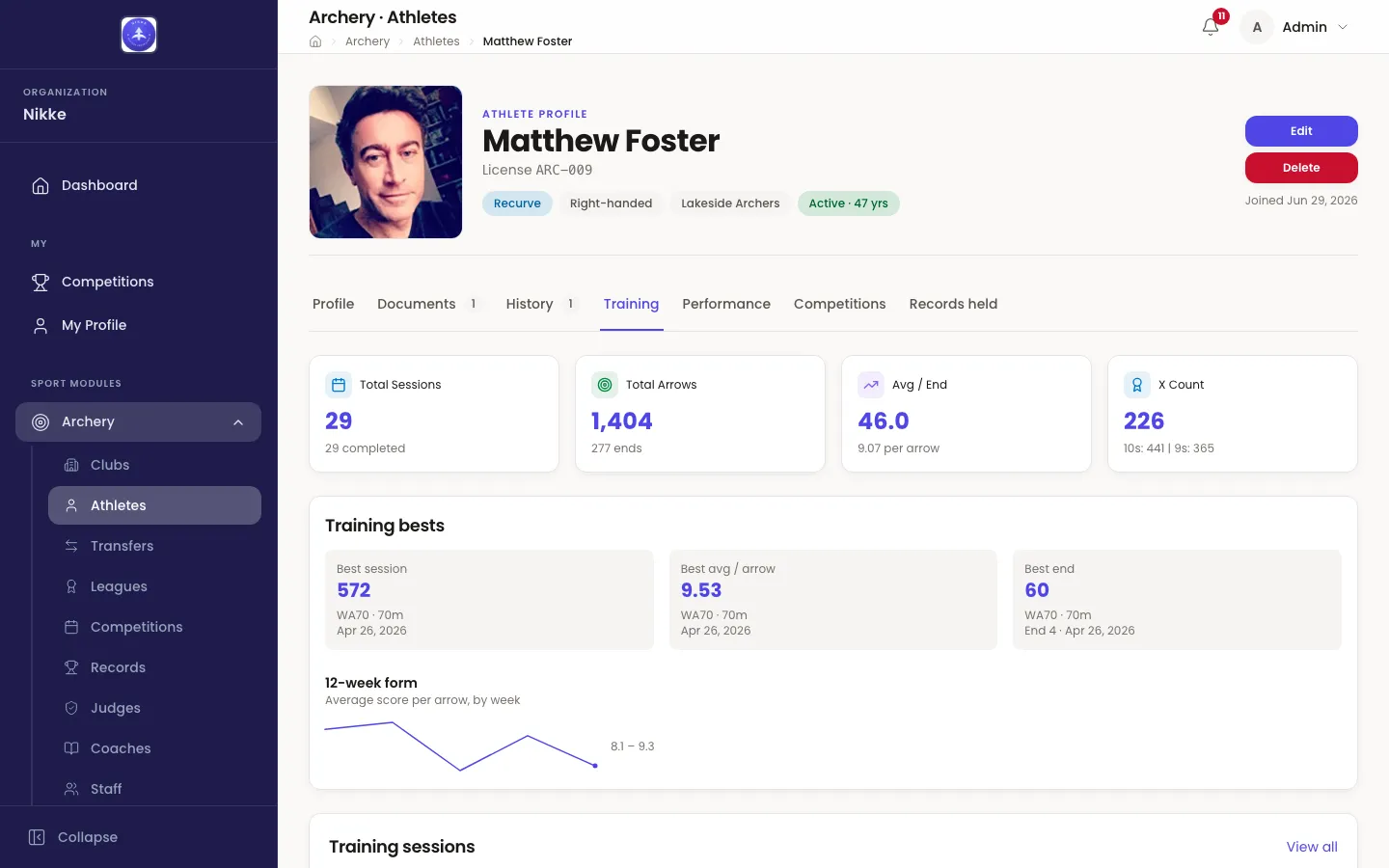
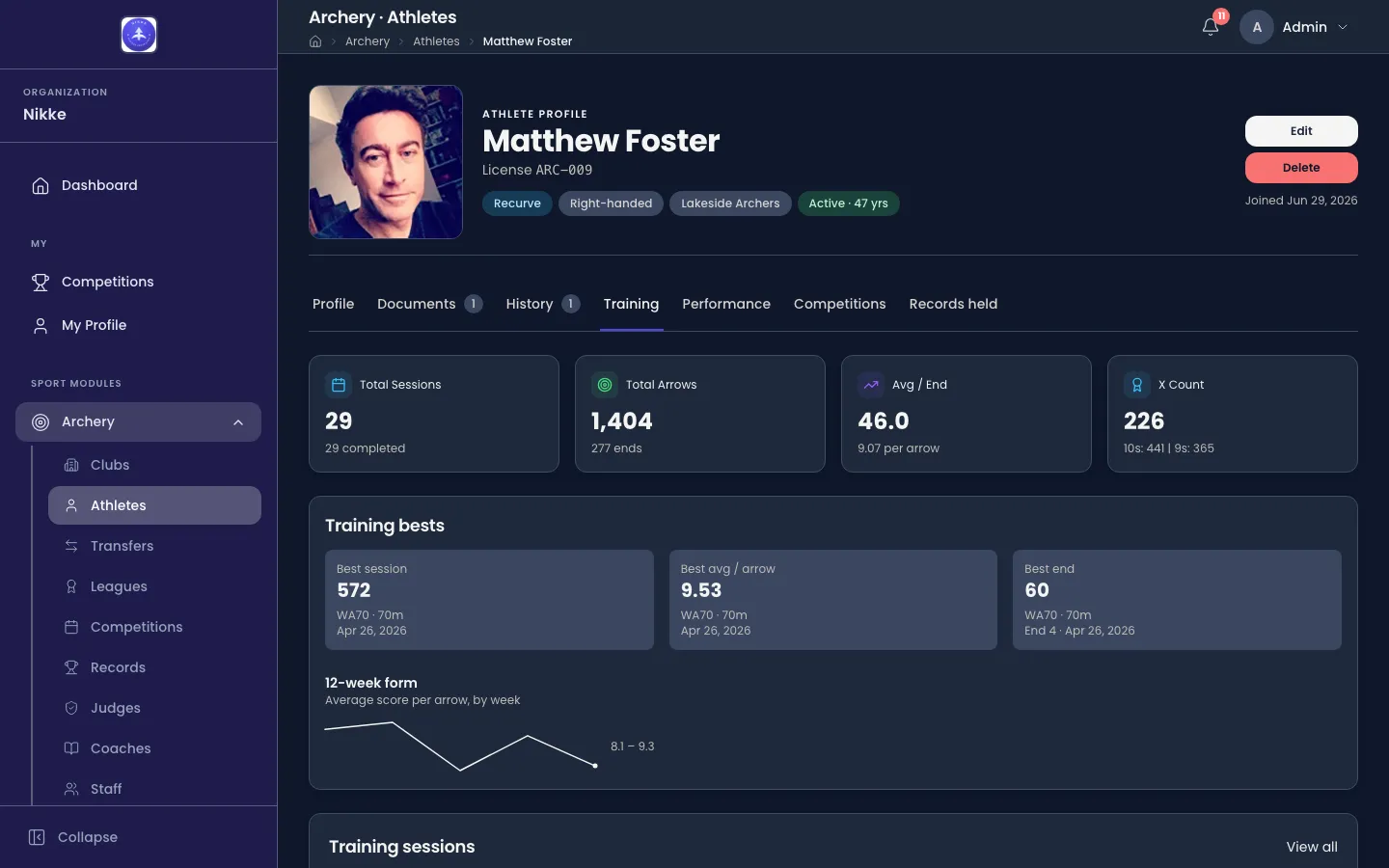
- Total Sessions counts every session, with how many of them finished.
- Total Arrows counts the arrows, with the number of ends they came in.
- Avg / End is the average end score, with the per-arrow average under it.
- X Count counts the Xs, with the 10s and 9s under it.
Under the four tiles, Training bests holds the best the athlete has shot in training — Best session, Best avg / arrow and Best end — each with the round and distance it was shot at and the date. A best is read within one lens, a round type at a distance, so a session total is never compared across incompatible rounds. It is a training figure and nothing more: it earns no record and enters no ranking. The competition counterpart, the athlete’s best competition scores, sits on the Competitions tab as their personal best. An athlete with no finished session yet reads No training bests yet.
Beside it, 12-week form plots the average score per arrow by week over the last twelve weeks, with the low and high of the period marked. It needs at least two weeks of sessions; until then it says Not enough data yet for a trend.
Training sessions lists them all, newest first — Date, Session (the bow and distance, with indoor or outdoor beneath), Arrows, Ends, Score and Status — and opening a row shows the session in full. Columns and Compact change how the table is drawn; View all opens the full training list filtered to this athlete.
Conditions
Section titled “Conditions”Where weather capture is switched on, an outdoor session also carries the conditions it was shot in — the sky, the wind (its level, its speed and the direction it blows from), the temperature, and the direction of shooting. They come one of two ways, never mixed:
- Live readings, taken automatically on the athlete’s phone for their rough location when the session starts, when it finishes, and whenever they refresh while scoring.
- Hand-entered conditions, chosen by the athlete on the phone instead. A session whose conditions were entered by hand takes no live readings afterwards — not on refresh and not at finish.
Every wind speed falls into one of four wind levels — Calm (under 2 m/s), Light (2 to 5), Moderate (5 to 8) and Strong (8 and above) — which is what lets a live session be compared with a hand-entered one. Velos shows the conditions as a read-only Conditions card on the session, with the wind level beside each wind speed, and puts the wind reading beside the configuration in the list above.
The pages in this section
Section titled “The pages in this section”- Recording a session — setting a session up, and scoring it end by end.
- Scores and ends — what a finished session reports, and how to read it.
- The arrow plot — where each arrow landed, for sessions shot on the phone.
Sessions and results only become a picture once there are enough of them. Performance covers what Velos makes of them — the totals on every athlete record, and the suite that reads a whole squad at once.
Updated for v1.63.0