
The club portal
My Club is the area a club’s own people get of their own club. It exists so a coach can see how their archers are shooting, and a club official can run the club’s day-to-day — register an archer, file its paperwork, transfer archers between clubs, enter them into competitions — without being given a staff account and the run of your federation, club or academy.
Who it is for, and how Velos decides
Section titled “Who it is for, and how Velos decides”You reach My Club from My in the sidebar, and the entry appears for two standings:
- A coach — a person registered as a coach whose record is attached to a club. A coach reads: the roster, the athletes, the competitions.
- A club official — a person the club has put forward as one of the people who run it: a secretary, a president, a team manager. An official sees everything a coach sees and, on top of it, the controls that act for the club.
That is also the fence. My Club carries no permissions of its own: the coach record or the official’s seat is the permission, and every screen inside is confined to the one club it names. There is nothing to grant and nothing to scope — registering the record is what turns this on for a person, and removing it is what turns it off. An account with neither standing has no entry, and opening the address directly returns them to their landing page.
A coach whose record exists but is not attached to a club yet gets the page with No club yet — “Your coach record is not affiliated with a club. Once your organisation assigns you to one, its roster shows up here.” That is fixed by an administrator, on the coach’s record.
A person who holds more than one club gets an Acting club picker at the top of the page — an official seated at several clubs, or a coach who is also an official at a club they do not coach. Everything below it — roster, documents, transfers, entries — belongs to the club chosen there, and Velos remembers the choice for next time.
The club they coach comes first in the list, marked (coach, read-only) after its name, and their seats follow, oldest first. Choosing the coached club shows it the way any coach sees it: readable end to end, with none of an official’s controls. A club where the same person both coaches and holds a seat is listed once, as the seat.
What the portal shows
Section titled “What the portal shows”The page opens on the club — its crest, its name, its contact details and a count of the athletes on the roster. A coach also sees their own code and level beside the name; an official, holding no coach record, sees the club without them, and instead gets the club’s controls: Upload crest (or Remove crest once one is up), Edit details and Register athlete.
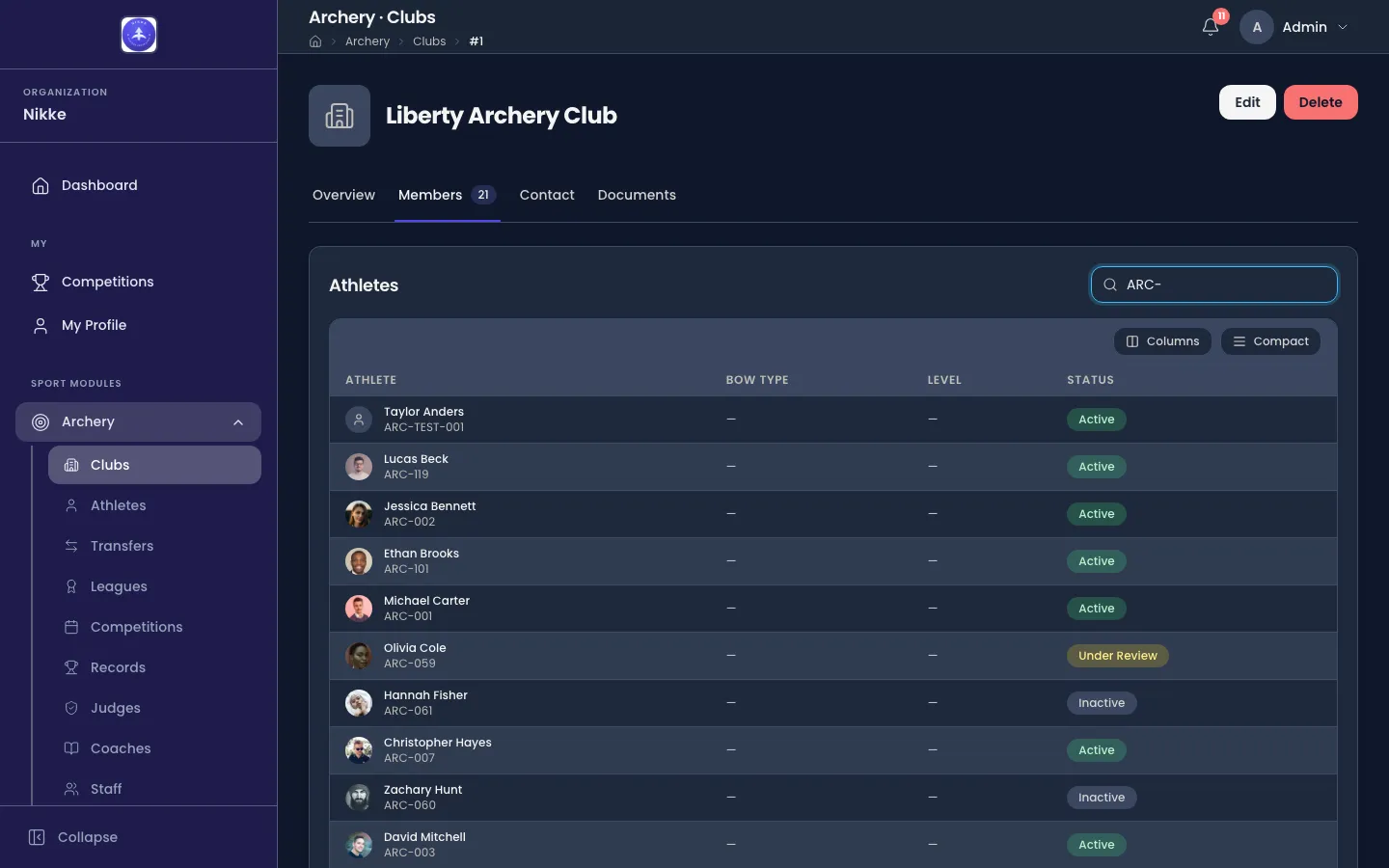
Athletes is the roster itself: every athlete in the club with the bows they are graded on and their status, and a Search by name or licence… box over the top. It is the same roster staff see on a club’s Members tab:
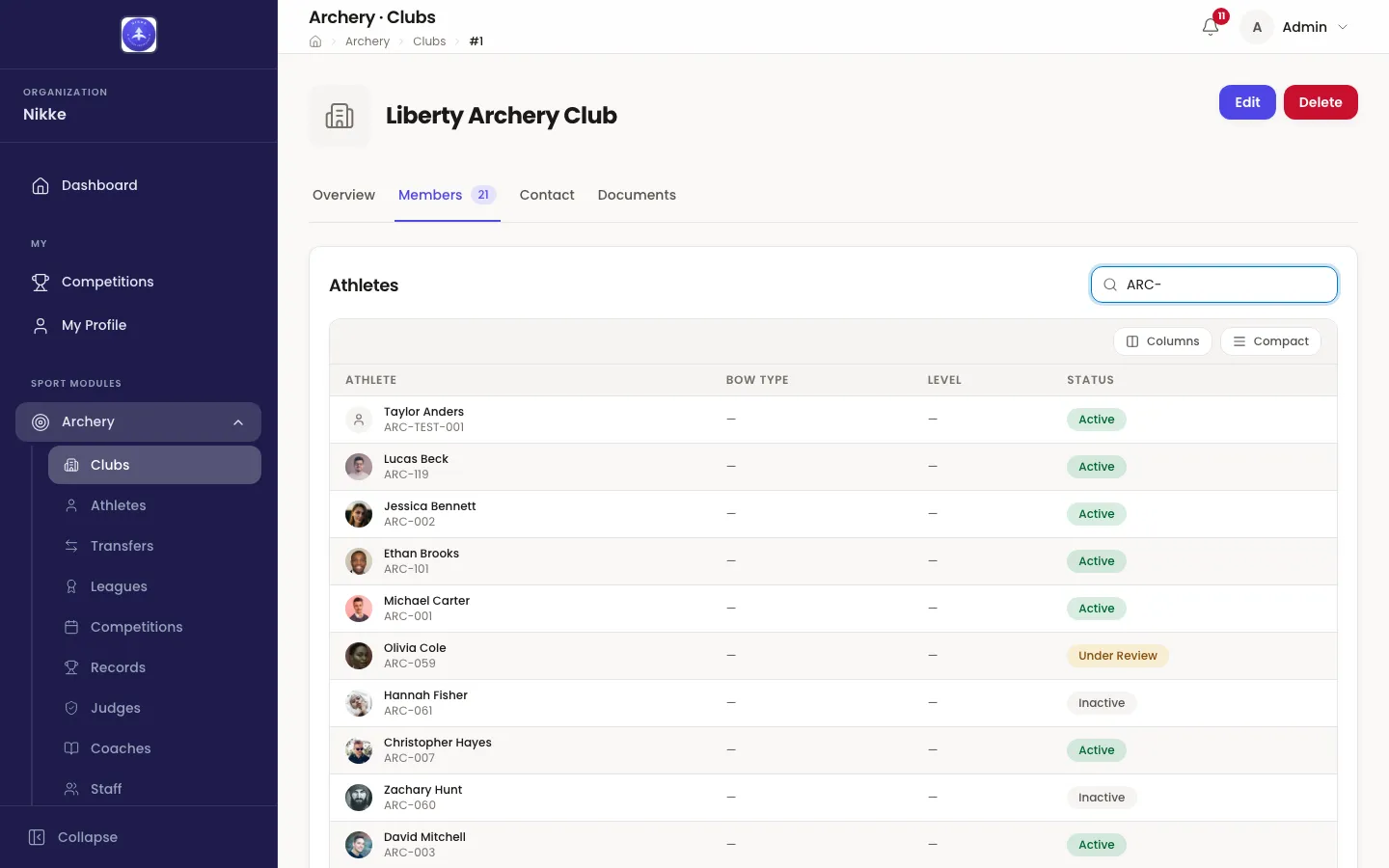
An archer the club has registered but the federation has not yet decided on shows as Pending Approval, flagged Not enterable yet — on the roster, but not in any competition until an administrator approves them.
Club documents follows the roster: the club’s own papers — bylaws, certifications, and the letters your federation files about the club. Both standings read it; an official can also add to it, with a Document name, a File and Upload (PDF, Word, Excel, text, JPG or PNG, up to 10 MB).
Transfers shows who is arriving and who is leaving, each with the other club and the stage the transfer is at. An official acts here; a coach only reads:
- Ask for an archer — type the exact Licence number the archer gave you and press Find. Nothing else will find them: there is no browsing another club’s roster. When the archer comes up, Request transfer files the request.
- Release — on an archer leaving, once the request is waiting on your club.
- Accept — on an archer arriving, once the transfer is waiting on you.
Everything in between — the federation’s approval, a decline and its reason — is shown on the row as it happens.
Open for registration lists the competitions taking entries right now, with each one’s date and how many of the club’s archers are in it, and an Entries button. It is only shown while something is open.
Competitions closes the page: the competitions the club has entered archers in, each with its dates, its registration window and a count of Club entries — how many of the club’s own archers are in it and still registered. Each row links to the competition’s page on My Competitions.
Editing the club and registering an archer
Section titled “Editing the club and registering an archer”Edit details opens Club details — how people reach your club, and where it is. The Contact section takes Email, Phone and Website; the Address section takes Street, City, State or region, Postal code and Country. The club’s name and its club code are not on the form: they “are managed by your federation — ask them to change either one.”
Register athlete opens Register an athlete: you file a new archer with your
federation. The club is filled in for you and the licence number is issued by the
federation. Give their First name, Last name, Date of birth — typed as
dd/mm/yyyy or picked from the calendar — Gender, optionally Shooting hand, a
Photo and their contact details, and press Register. The button waits while the date
of birth is missing or not one Velos can read, and says so under the field.
If your federation asks to approve new athletes, the archer lands on the roster as Pending
Approval; otherwise they join it straight away. Velos also warns you when somebody with
the same name and date of birth is already on file, so a returning archer becomes a transfer
rather than a second record.
Entering archers into a competition
Section titled “Entering archers into a competition”Entries — from the Open for registration card, or from a competition’s row — opens that competition’s entries for your club, with Back to my club to return.
While the window is open, an official gets Enter an archer: choose the Archer, then the Category open to them, and press Enter. Who can be entered is the same answer the federation’s own entry form gets, so the list only offers archers who can be entered, and a Not available to enter list names the rest with the reason — Awaiting federation approval, Registration rejected, Already entered, No category open to them, Inactive, Under review.
Below sits the list of archers entered, each with their category and licence. An official takes one out with Withdraw, then Confirm withdrawal, in the row itself. Withdrawing inside the window removes the entry, so the archer can be entered again.
Once registration has closed, or the competition has started, the page says so and the controls go: “Registration has closed. Ask the federation to change entries from here on.”
A coach opening the same page sees the list of entries and nothing to press.
One athlete
Section titled “One athlete”Opening an athlete from the roster shows their licence, bows, club and status, then four tabs:
- Training — every session that athlete has shot, one row each: Date, Session, Arrows, Ends, Score and, where sessions are reviewed, Status. Opening a row shows the session in full — the same read staff get, described in Scores and ends: its setup, the athlete’s own feeling and effort where they gave them, its conditions and arrow plot where the session carries them, its totals and every end.
- Performance — where your federation, club or academy has it turned on: the athlete’s progression, consistency and match-craft, by bow and by indoor or outdoor.
- Competitions — the tiles Competitions, Podiums, Best score and Records held, then Season form, Recent competitions, Team & mixed rounds (Date, Event, Kind, Team, Place — or “No team or mixed rounds yet.”) and Medals. A medal is marked Individual, Team or Mixed team, and Podiums counts all three alike.
- Records held — any records currently standing in the athlete’s name.
An official also gets the club’s controls on this page: Edit contact (the athlete’s Email and Phone — their name, date of birth, licence number, standing and club “belong to your federation”), Change photo, and a Documents card for the paperwork the club has filed for this archer — a medical certificate, a parental consent — with the same Document name, File and Upload as the club’s own cabinet. What the federation filed about the athlete is not shown here.
What the portal does not show
Section titled “What the portal does not show”My Club carries sport data only. Names, photographs, licences, bow levels, statuses, training and results travel; dates of birth and guardian information do not, and an athlete’s contact details are shown only to an official, who may keep them current. A coach or an official is not staff, and this area does not quietly make them staff.
For a coach it is read-only end to end — no editing an athlete, no correcting a session, no entering anybody into anything. For an official, the actions are exactly the ones above: the club’s details and crest, its documents, registering and keeping up its own archers, transfers, and entries while a window is open. Nothing else — a training session, a result, an archer’s identity, another club’s roster — can be changed from here. Somebody who needs one of those changed asks whoever administers Velos where you are.
For staff
Section titled “For staff”If a coach or an official tells you the portal is empty or missing, the answer is almost always one of three things, in this order:
- They have no coach record and no official’s seat — register one. Coach records live under Archery → Coaches; officials are named on the club’s own page, on its Club Officials card.
- They are a coach, but the record is not attached to a club — attach it.
- Their account is not linked to the person the record belongs to.
If an official tells you they can see the club but not act on it, either they hold a coach record and not an official’s seat — the seat is what carries the controls — or they hold both, at different clubs, and the Acting club picker is on the club they coach. A person with several clubs gets one My Club with the picker, not one entry per club.
Updated for v1.63.0